-
Courses

Courses
Choosing a course is one of the most important decisions you'll ever make! View our courses and see what our students and lecturers have to say about the courses you are interested in at the links below.
-
University Life

University Life
Each year more than 4,000 choose University of Galway as their University of choice. Find out what life at University of Galway is all about here.
-
About University of Galway

About University of Galway
Since 1845, University of Galway has been sharing the highest quality teaching and research with Ireland and the world. Find out what makes our University so special – from our distinguished history to the latest news and campus developments.
-
Colleges & Schools

Colleges & Schools
University of Galway has earned international recognition as a research-led university with a commitment to top quality teaching across a range of key areas of expertise.
-
Research & Innovation

Research & Innovation
University of Galway’s vibrant research community take on some of the most pressing challenges of our times.
-
Business & Industry
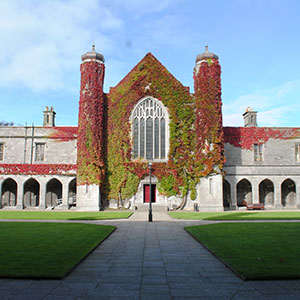
Guiding Breakthrough Research at University of Galway
We explore and facilitate commercial opportunities for the research community at University of Galway, as well as facilitating industry partnership.
-
Alumni & Friends

Alumni & Friends
There are 128,000 University of Galway alumni worldwide. Stay connected to your alumni community! Join our social networks and update your details online.
-
Community Engagement
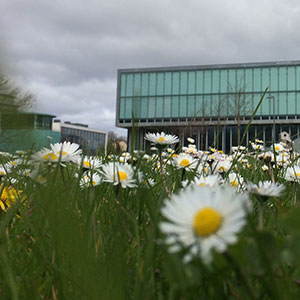
Community Engagement
At University of Galway, we believe that the best learning takes place when you apply what you learn in a real world context. That's why many of our courses include work placements or community projects.
 Accessibility & Language
Three Roundel Promos
Content (Rich Text) provides a Heading 2 to comply with Accessibility (if required)
The Three Roundel Promos content type typically is used on a landing page or home page of your site. We recommend that the images used are bright and colourful, with a central focus. Your three images should be square in size - recommended size is 400 x 400 (minimum 200 x 200). Each Roundel provides a link to another webpage that can be a section link or an external link.
You need to fully comply with copyright law. Ensure that you have the right to use any images you upload or insert onto your webpage. Further information is available on our Images FAQ page - Where can I find Images to use on my website.
Tip: Make sure the filename of your image does not contain any spaces, the file name has at least 3 characters (before the dot) and does not contain any characters that are reserved for web addresses ( ! * ' ( ) ; : @ & = + $ , / ? % # [ ] ).
How do I create Three Roundel Promos?
- Go to the section where you want to place the 'Three Roundel Promos'. Recommended use is on the Landing or Home page of your site. This content type will always feature 3 items.
- Click on +Add Content.

- Choose the Three Roundel Promos Content type.
- Fill in the details:
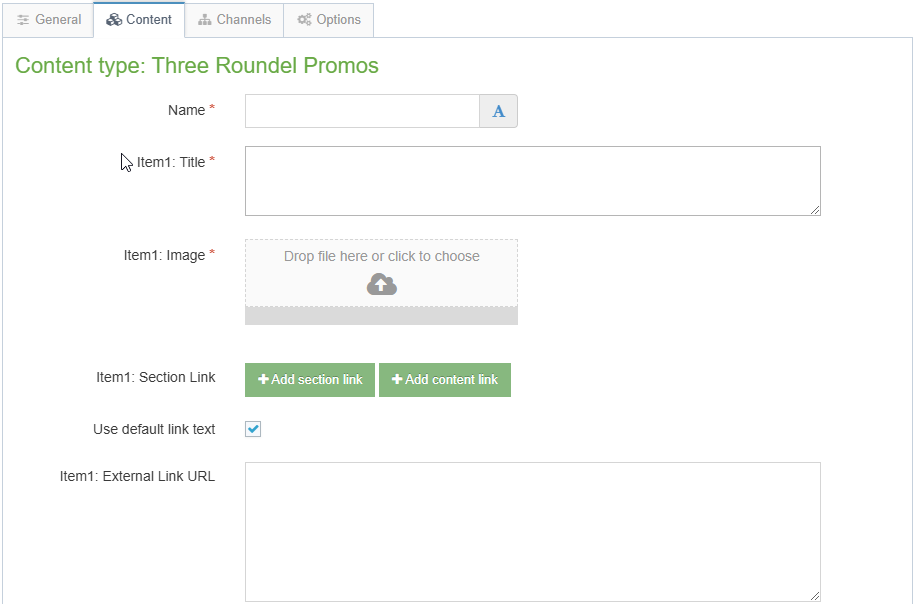
- Fill in the Name - This will appear in the section's content list only.
- For the first Roundel (Item 1):
- Provide a Title - normally indicates the destination of the link.
- Click on the Image field to choose an image from your computer. Images should be 400 x 400px (for retina displays), and no less than 200 x 200px.
- Add the destination link by either:
- Clicking on Add section link (if linking to a page on the University website) and selecting a section from the popup site structure.
Or - Inserting an External link in the field Item1: External Link URL to link to an external website
- Clicking on Add section link (if linking to a page on the University website) and selecting a section from the popup site structure.
- Repeat Step ii for the other two roundels (Items 2 and 3).
- Click on Save changes to save your content without publishing it (changing its status to 'Pending').

Or else,
Click on the small white arrow beside Save changes and choose Save and approve to Approve your content for publication.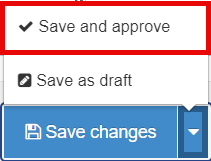
Accessibility considerations
The 'Three Roundel Promos' Content Type (CT) has H3 headings. If a H2 does not appear above it, on the webpage, you need to add one to meet your legal accessibility obligations. (Read more about accessibility requirements)
The easiest way to do this is to add a 'Rich Text' CT, specifying a heading, to create the missing H2, and also adding some short introductory text. After saving and approving it, remember to drag the new 'Rich Text' CT up the content list, so that it is listed above your 'Three roundel Promos'.
To check your heading order, go to our bookmarklet page and drag the Show Headlines into your Bookmark bar. This enables you to visit any webpage (or preview it in T4) and then click on 'Show Headlines' (in your bookmarks bar) to easily see that page's hierarchy of headings.